How to Submit an Article
Here are the steps to submit an article to As-Salam: Jurnal Studi Hukum Islam & Pendidikan. If you do not have an account yet, please register via the link: Register and follow the instructions through the link: Author & Reviewer Account Creation Guide.
- Log in as an author by entering the username and password you created previously.
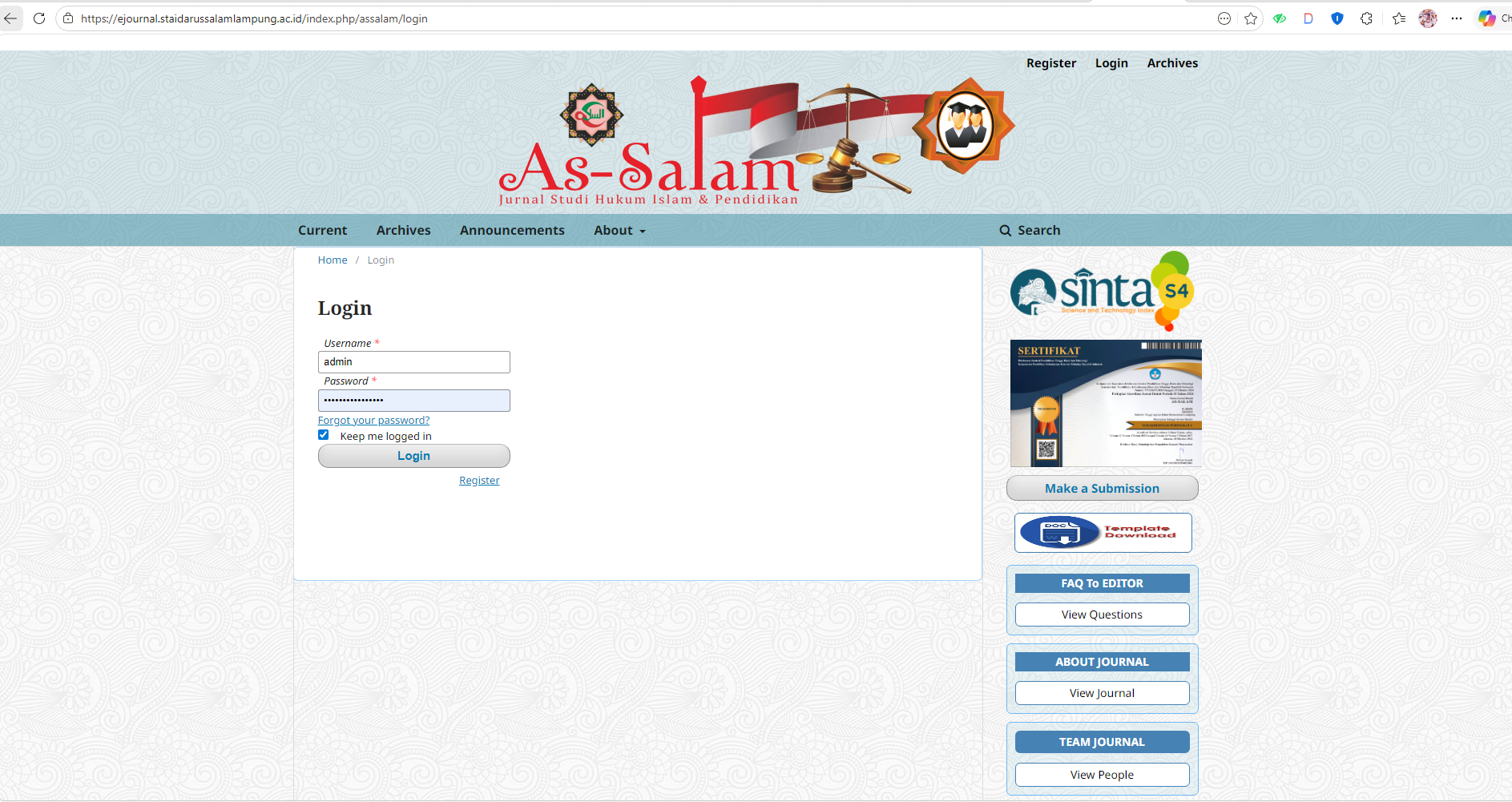
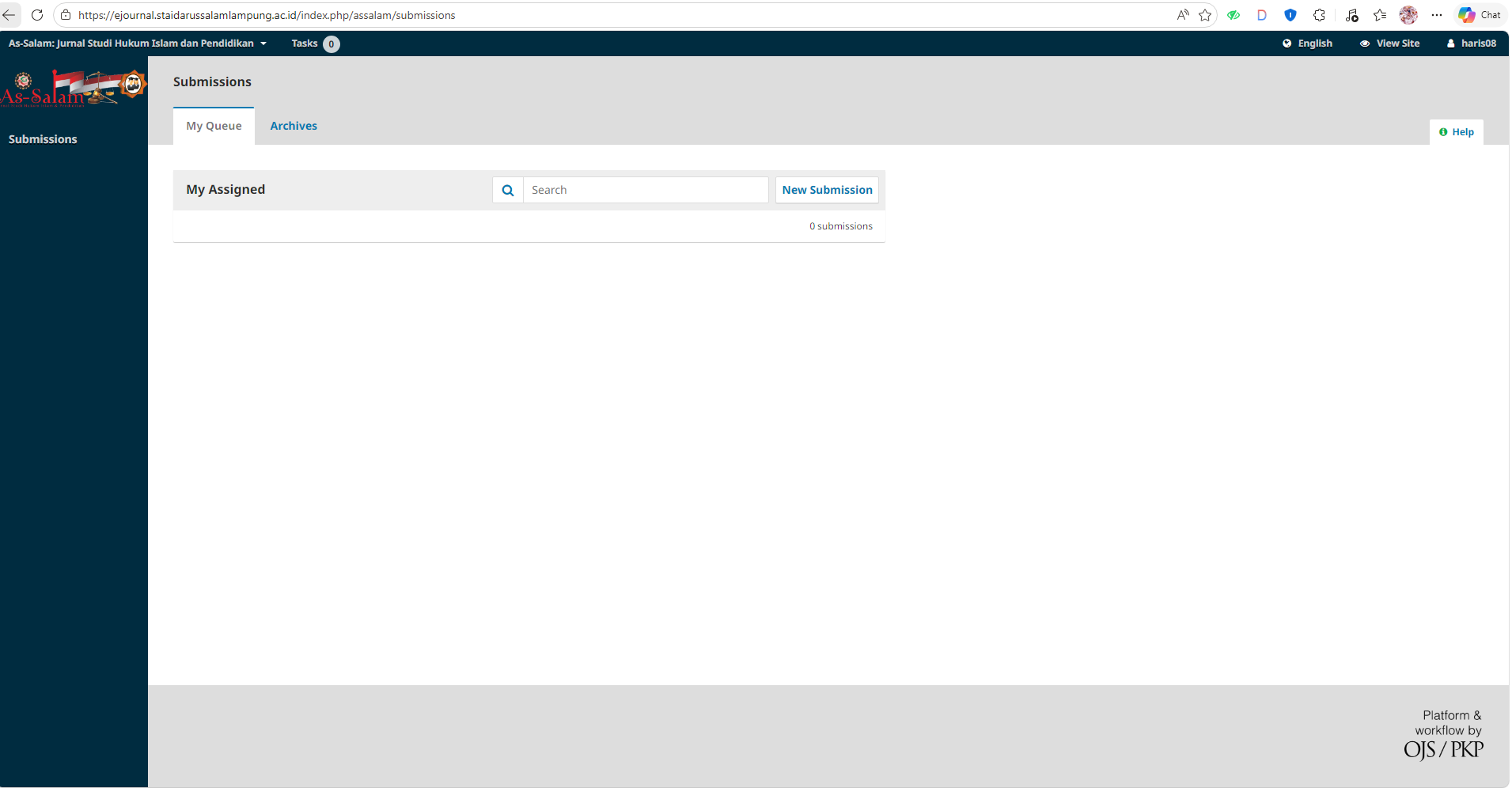
- Select New Submission.
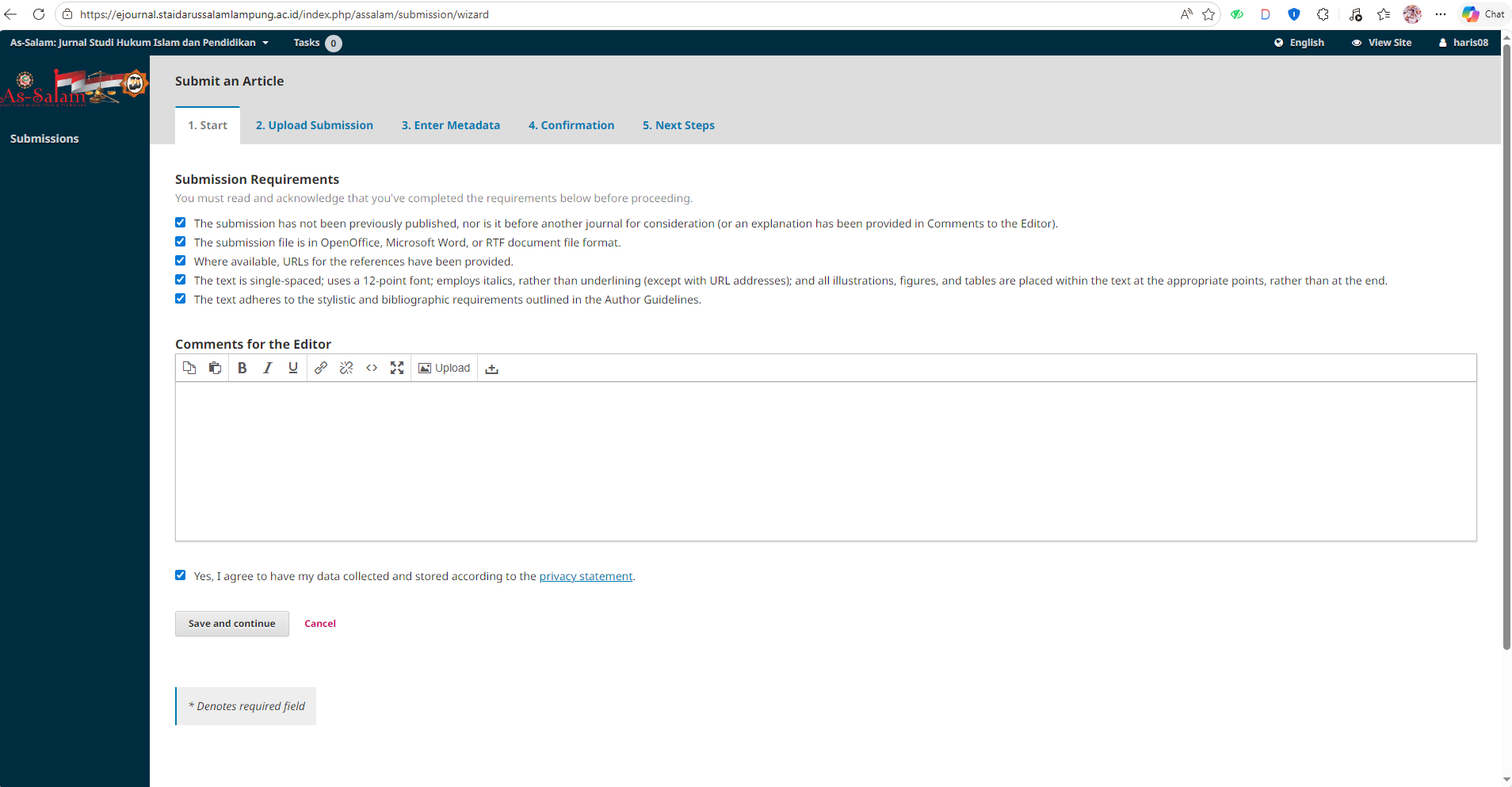
- In Step 1, check all boxes and write a message for the editor if necessary, then select Save and Continue.
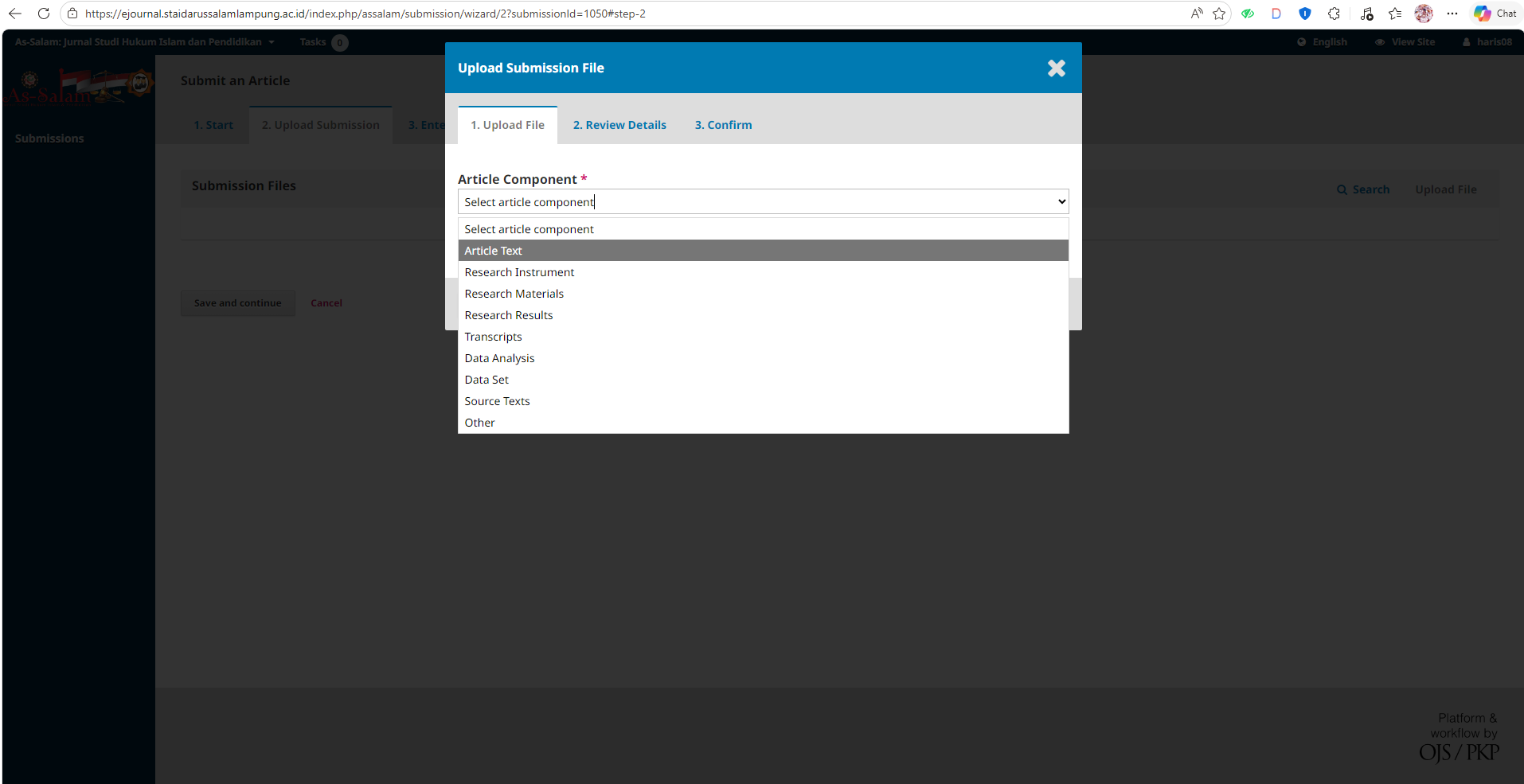
- In Step 2, select Article Text, then choose your article file and upload it.
- Once the article is uploaded, select Continue.
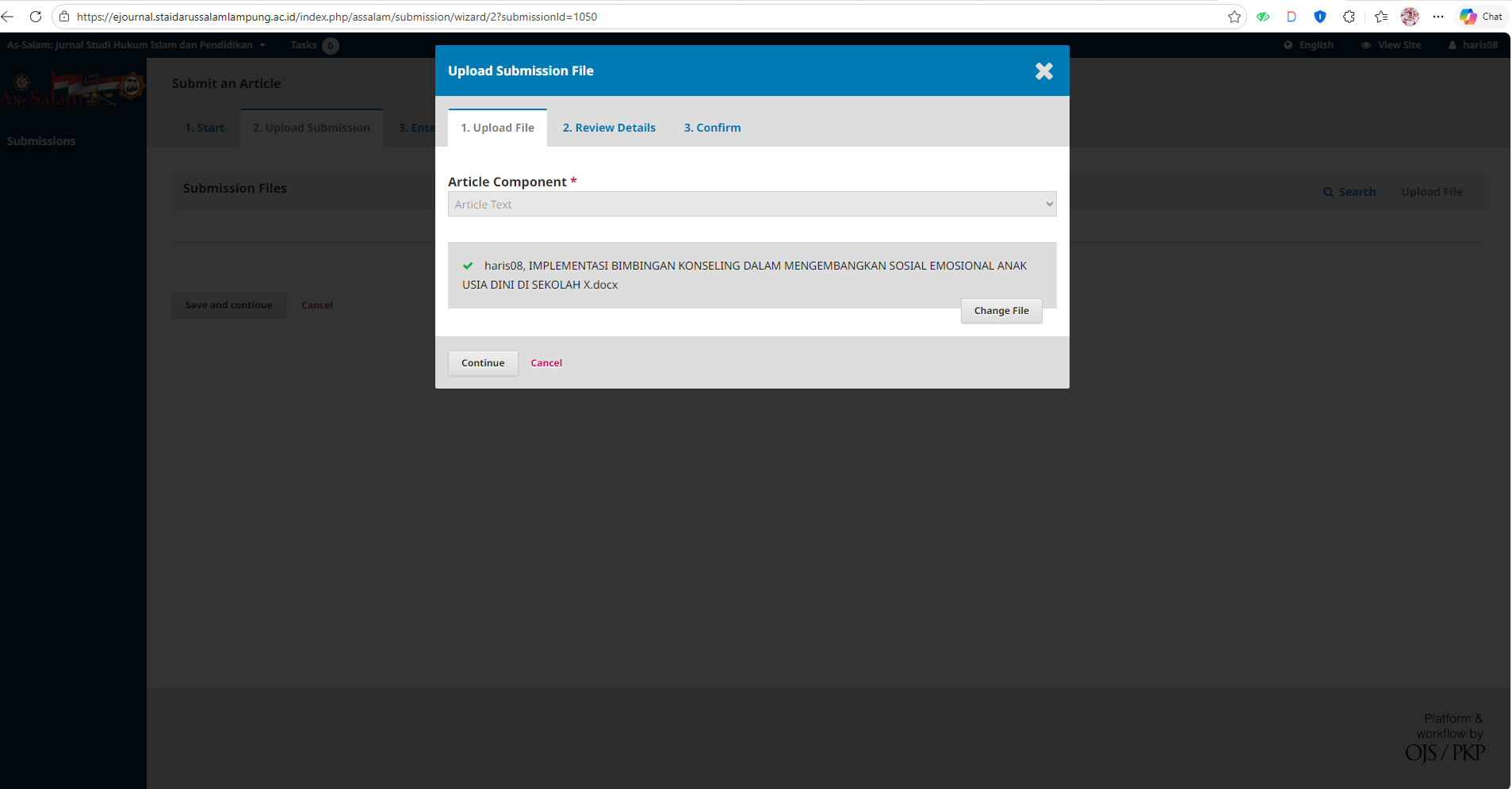
- Select Continue.
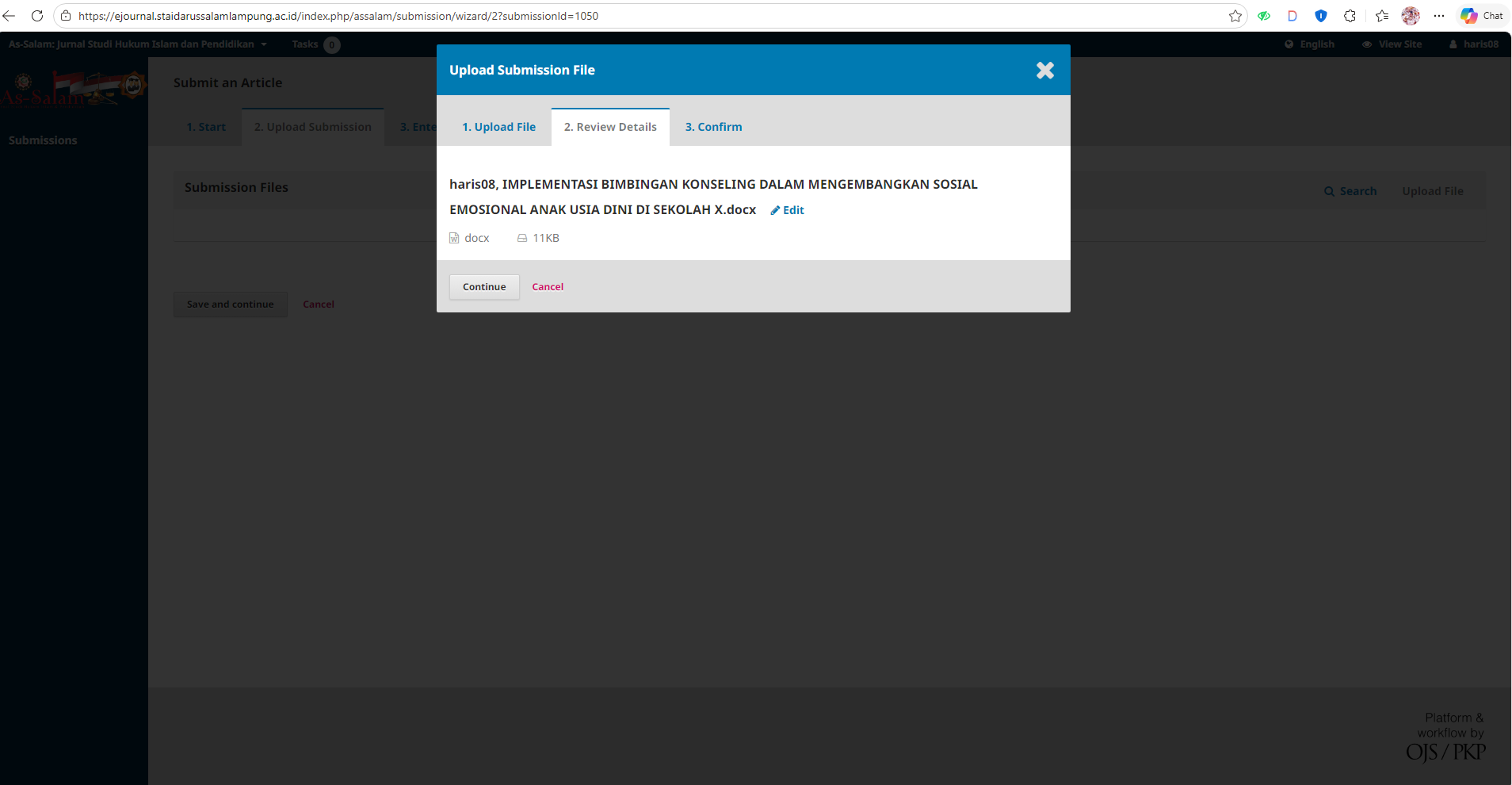
- Select Complete.
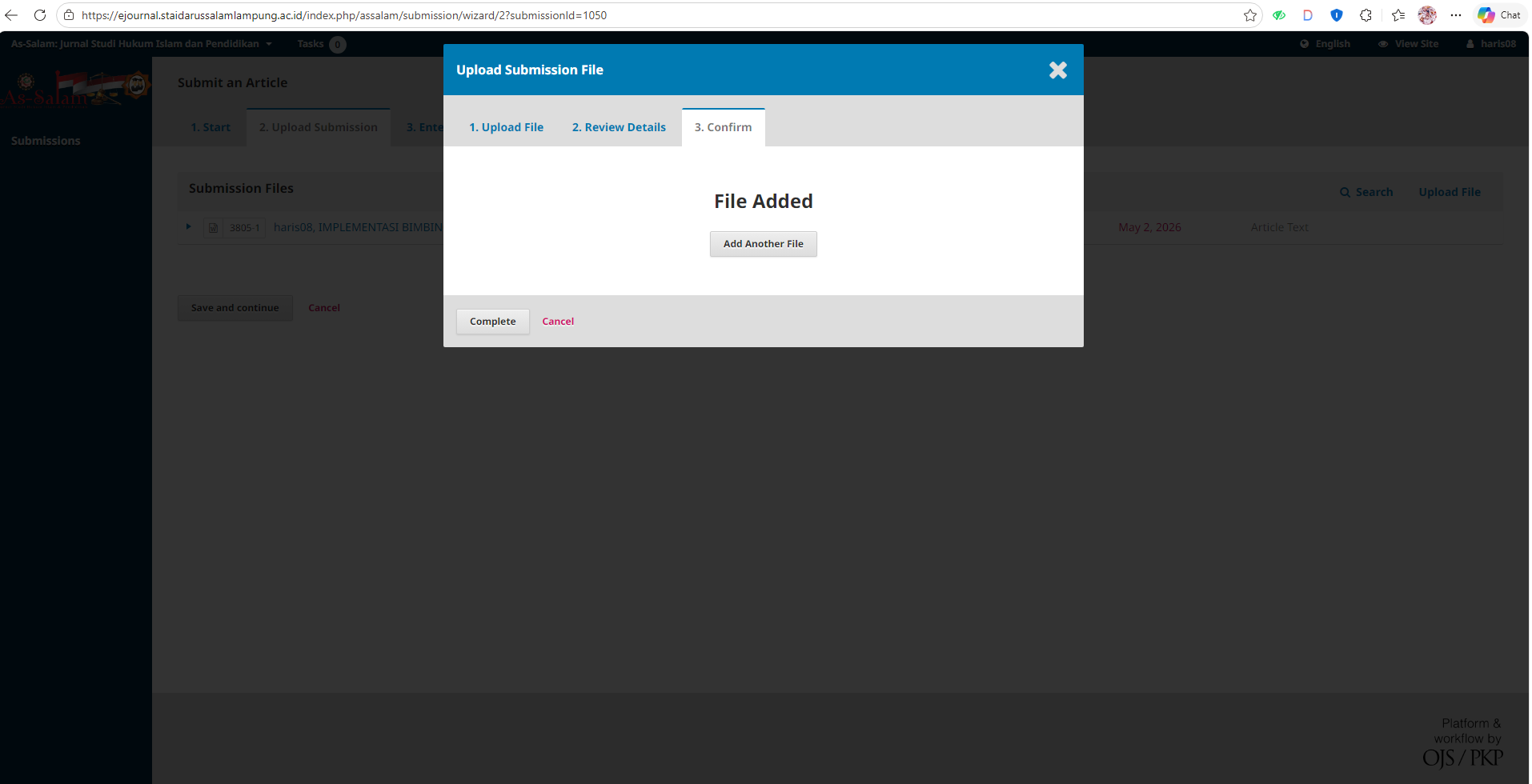
At this point, you have successfully uploaded the article in step 2; however, the article submission process is not yet finished. Next...
- Click Save & Continue to enter Step 3.
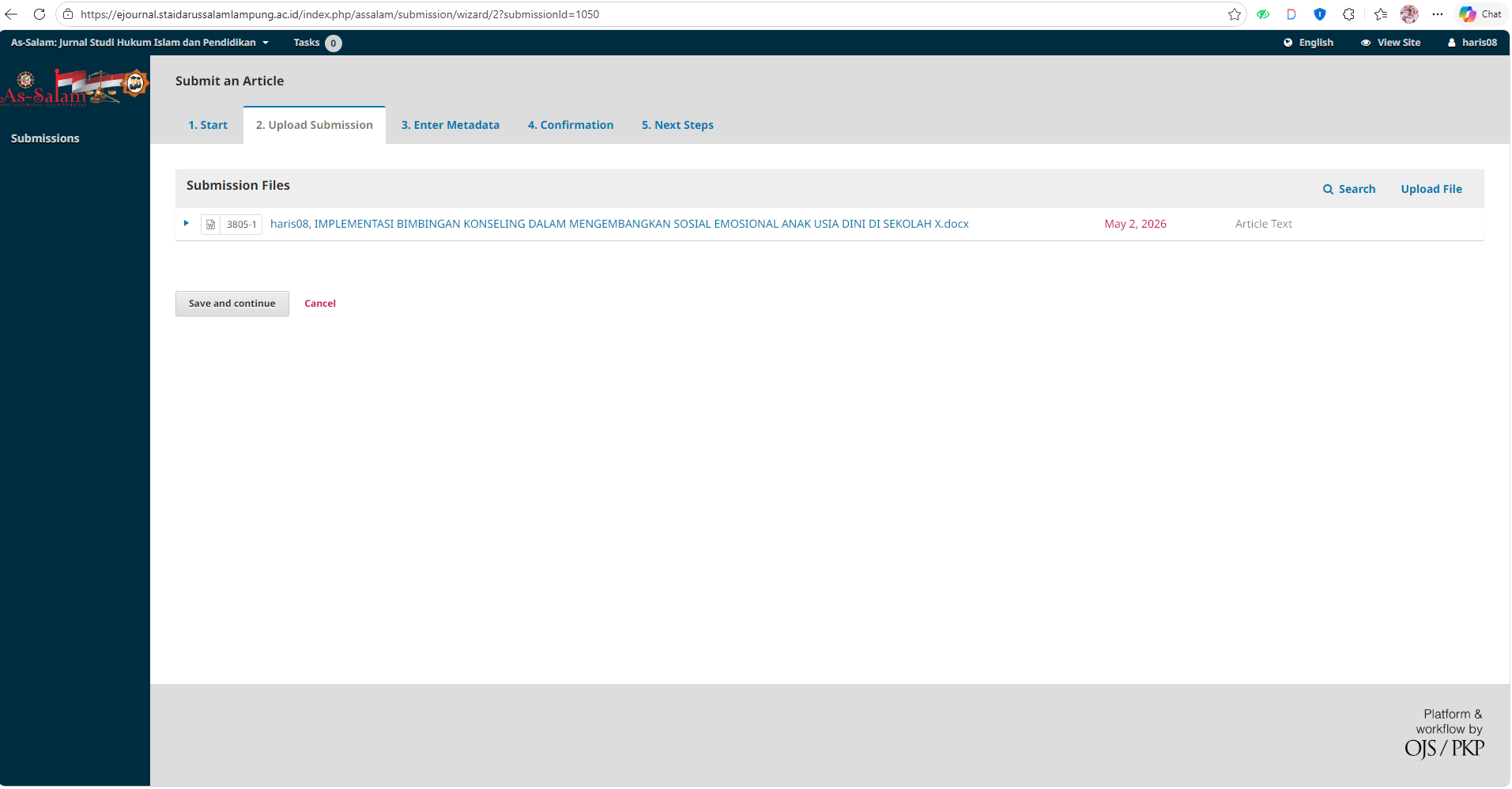
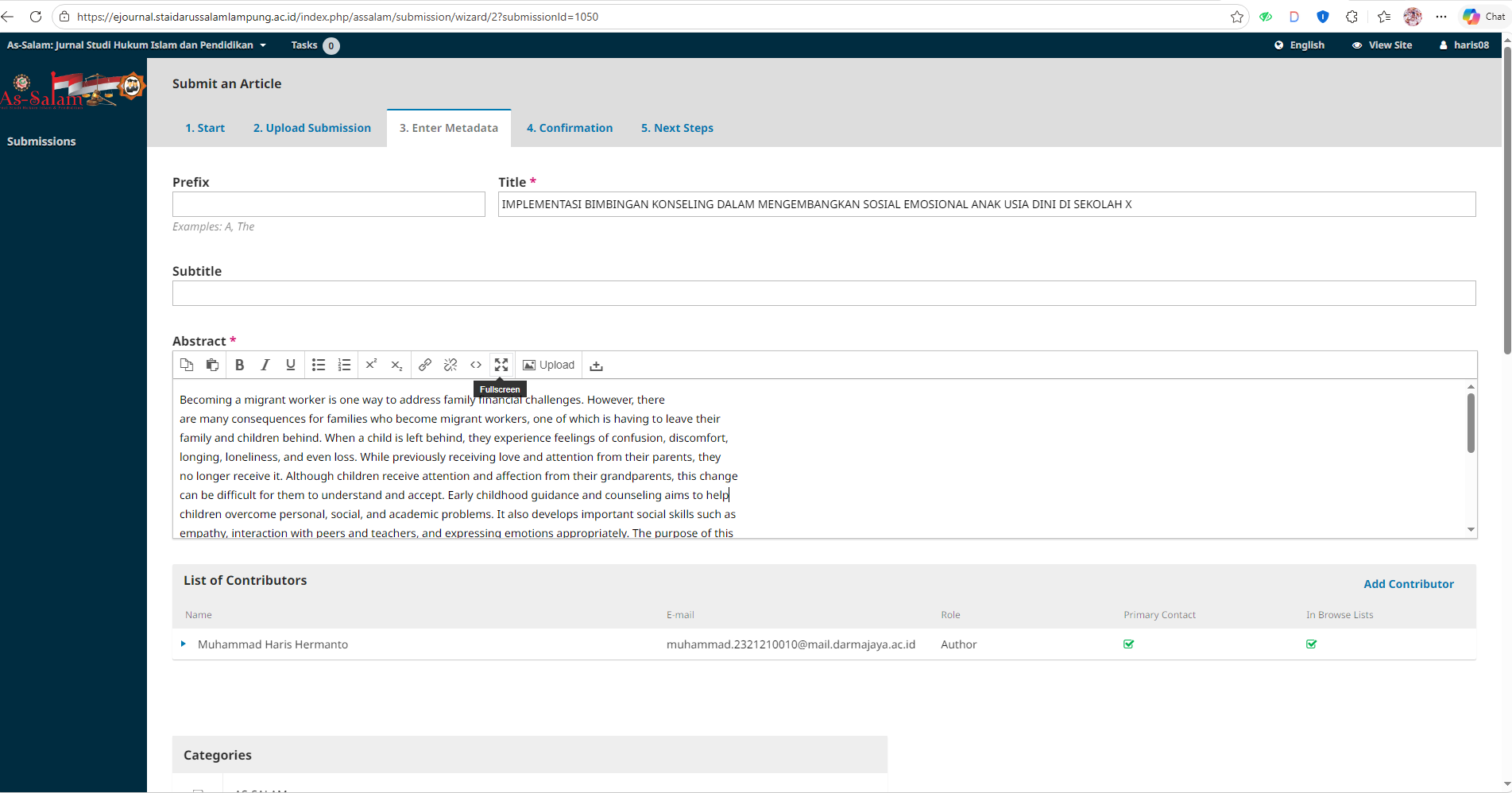
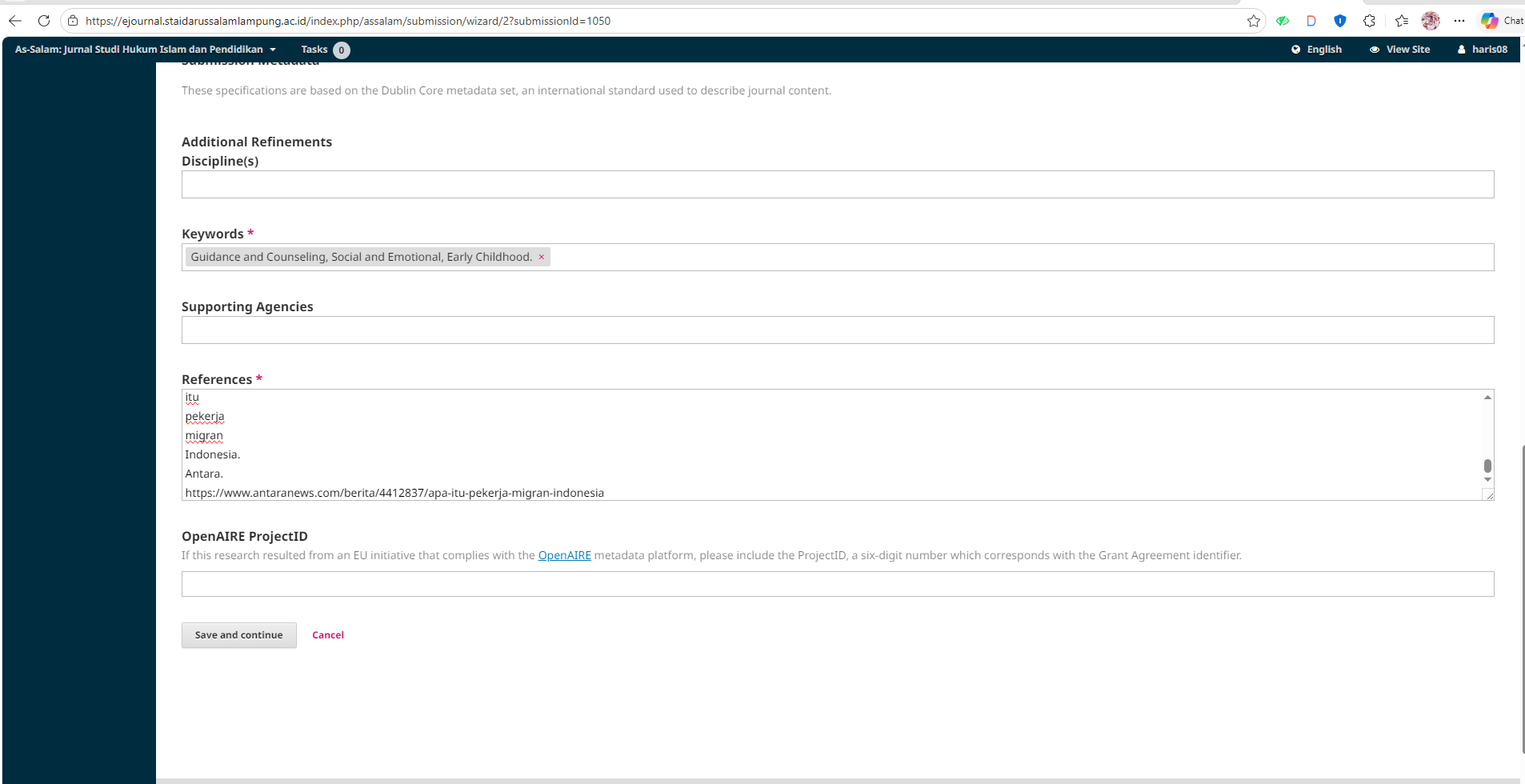
- In Step 3, please complete the mandatory metadata: Title, Abstract, Keywords, References; then click Save & Continue.
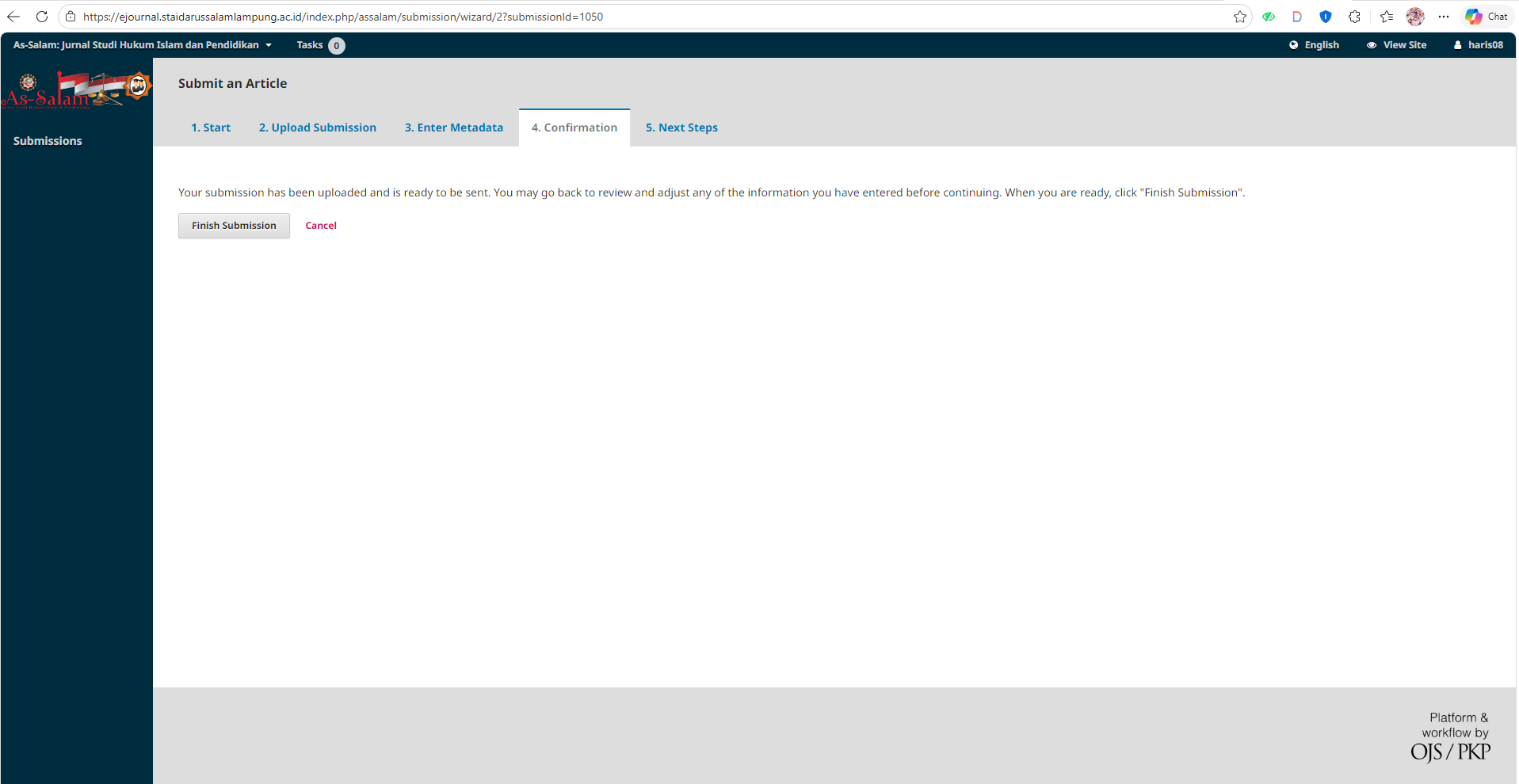
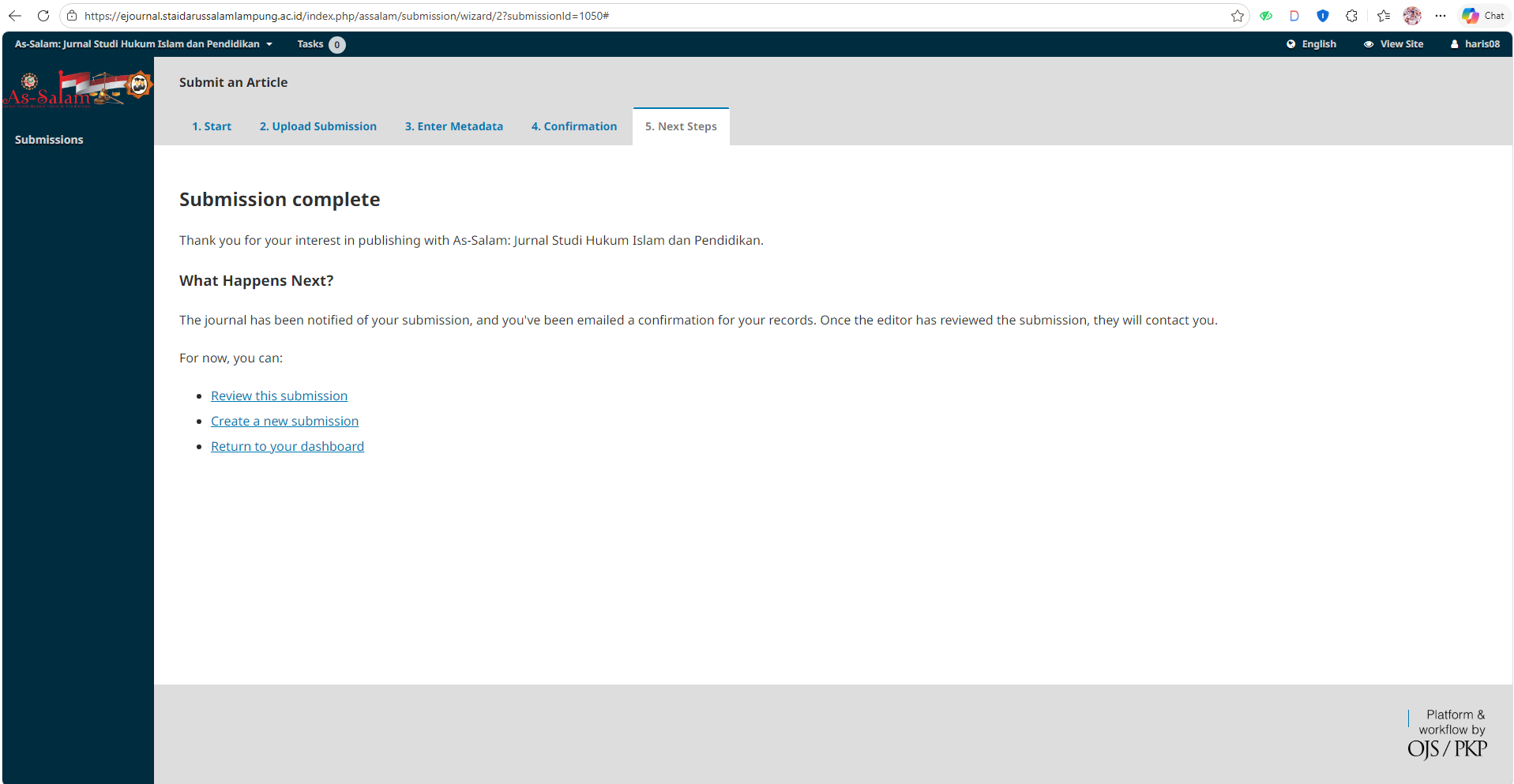
- In Step 4 (Confirmation), click Finish Submission.
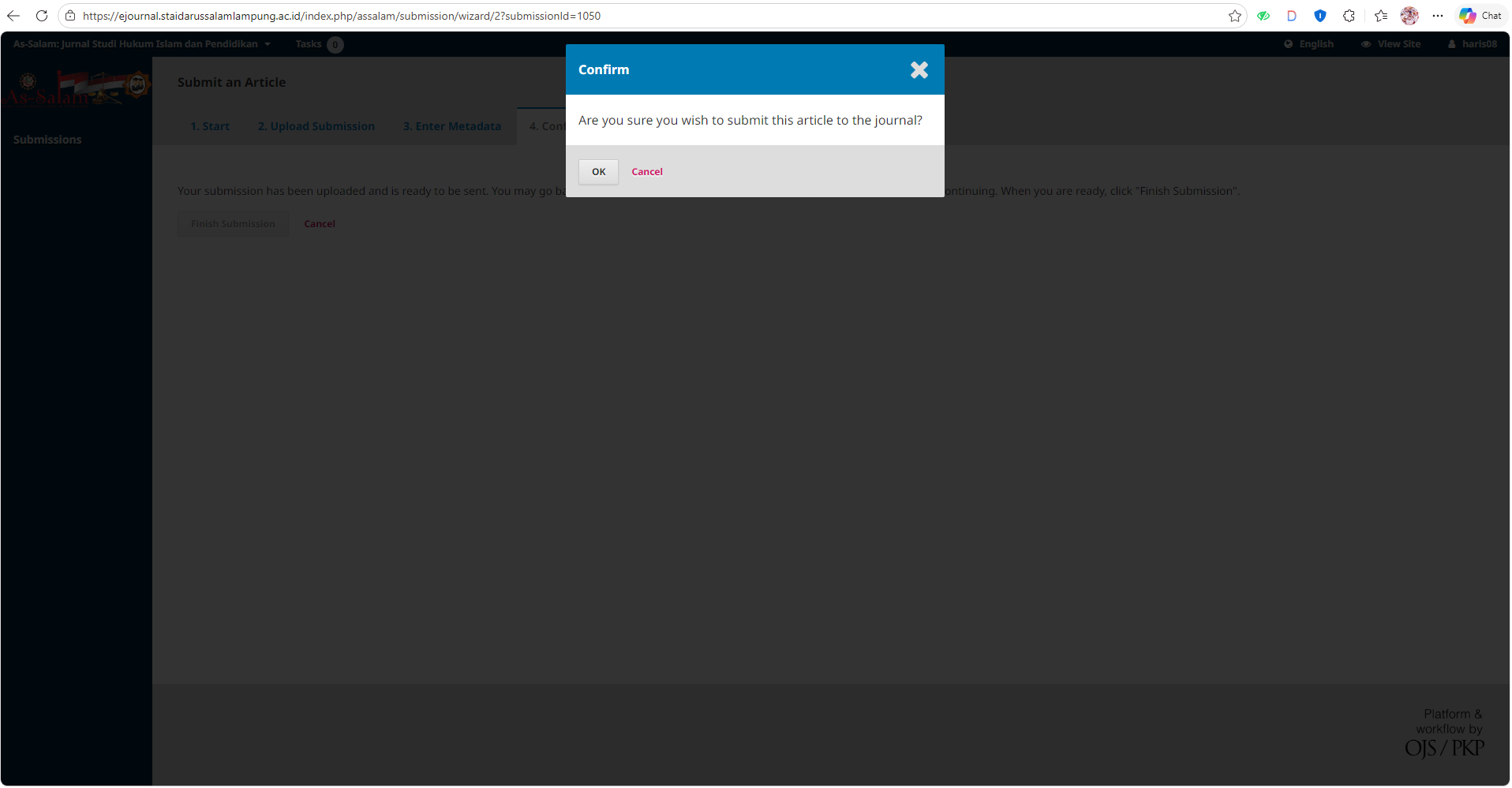
- Click OK to proceed to Step 5.
- In Step 5 (Next step), it means you have successfully submitted your article completely; Congratulations, You Have Succeeded.
 MAKE A SUBMISSION
 DOWNLOAD TEMPLATE
 How to Register an Account
 How to Submit an Article
 How to Upload a Revised File
 How to Review
 e-ISSN : 2461-0232
 p-ISSN : 2089-6638
 Description Journal
 Focus & Scope
 Publication Frequency
 Indexing Journal
 Contact
 Editorial Team
 Reviewers
 Publication Ethics Statement
 Waiver Policy
 Archiving Policy
 Plagiarism Policy
 Journal Subscription
 Open Access Policy
 Peer Review Process
 Journal Policies
 AI Policies
 Author Guidelines
 Article Template
 Publication Fee
 Privacy Statement
 Preprint Policy
 Copyright Notice
 Correction and Retraction
 Withdrawal of Manuscript
 Posting Article Policy

 MESSAGE US ON WHATSAPP